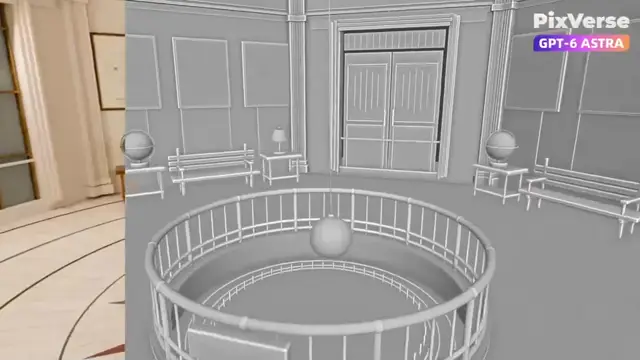
Editable Blender Recreation of Griffith Observatory Rotunda
Seedance 2.5 video prompt by Leila 👩🏻💻 · original post
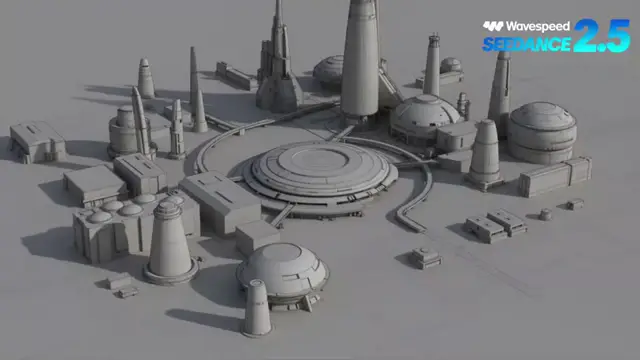
A workflow prompt for recreating Griffith Observatory's central rotunda as an editable Blender 3D scene, then rendering a 15-second three-shot camera sequence (push-in, rise, orbit around the Foucault pendulum). Gray-model videos and a real interior photograph are used in PixVerse to preserve layout while applying realistic materials and warm lighting.
the prompt
Create an editable 3D recreation of Griffith Observatory’s central rotunda in local Blender, including the Foucault pendulum, dome murals, bronze railings, marble floor, benches, celestial globes, table lamps, and astronomical displays. Create a stable 15-second camera sequence with three 5-second shots: Push into the hall, rise, and orbit around the central pendulum. Use an elevated upward-facing camera to orbit around the dome and murals. Move close to a celestial globe and make a smooth detail orbit. Render gray-model videos using these exact camera animations. Review the camera movement, framing, spatial flow, and occlusion before generating the final videos. In PixVerse, use Seedance 2.5. For each shot, upload the corresponding gray-model video and the same real photograph of Griffith Observatory’s interior. The photograph controls the materials, colors, murals, and lighting. The gray-model video controls the room layout, composition, perspective, and camera movement. Prompt: Use the visual style of @reference image to generate @gray-model video. Strictly preserve the gray-model video’s architecture, furniture positions, object count, framing, perspective, and camera movement. Only apply the realistic materials, dome murals, and warm interior lighting from the reference image. Keep every object stationary. Do not add people, furniture, doors, windows, or exhibits. Do not change the architecture or camera path. Avoid cuts, shaking, warping, flickering, or layout changes. Review every generated shot and regenerate only shots with clear problems. Combine the approved shots into one 15-second video and export the first frame of each shot. Deliver the editable Blender project, gray-model videos, three generated shots, final video, prompts, and first-frame screenshots.
- model
- Seedance 2.5
- type
- video
- shape
- 16:9
- length
- 8 seconds
- shared
- September 11, 2026
- prompt
- 255 words
Made this? Fix the credit or remove it.